
Connect and prepare
Connect an eligible account, choose your media and write a caption for each network.
Social publishing, with review built in
Bring brand facts, multilingual content, team approvals and publishing into one clear workflow.
Start with a free trial, no card needed. Connect eligible accounts after setup.
How it works in 3 steps
Keep the content, decision and publishing result together.
Connect an eligible account, choose your media and write a caption for each network.
Ask your team or client to check the exact version, including the schedule and brand timezone.
Publish approved content at the selected time, then check the actual result and log for each network.
More than a posting calendar
Explore the tools around your team's daily work. Optional modules need activation and provider access.
Keep your brand information close to the content it supports.
Explore createKeep the decision connected to the exact content being published.
Explore reviewReuse good work while giving each new post the review it needs.
Explore planPrepare assets once and respect each destination's format requirements.
Explore mediaFollow each destination from a reviewed plan to its recorded outcome.
Explore publishKeep permissions, reviewed replies and delivery evidence in view.
Explore inboxKnow which results were observed, when they were read and what is missing.
Explore measureBring security, integrations and commercial administration into the workflow.
Explore manageYour destination mix
Prepare content for each platform's supported formats. Connections and advanced features require the right account access and activation.
TikTok handoff prepares scheduled content for manual posting. Eligible direct posting requires the member's review and consent; unattended scheduled Direct Post is not implemented. Platform marks identify destinations and do not imply endorsement.
One message. Three ways to say it.
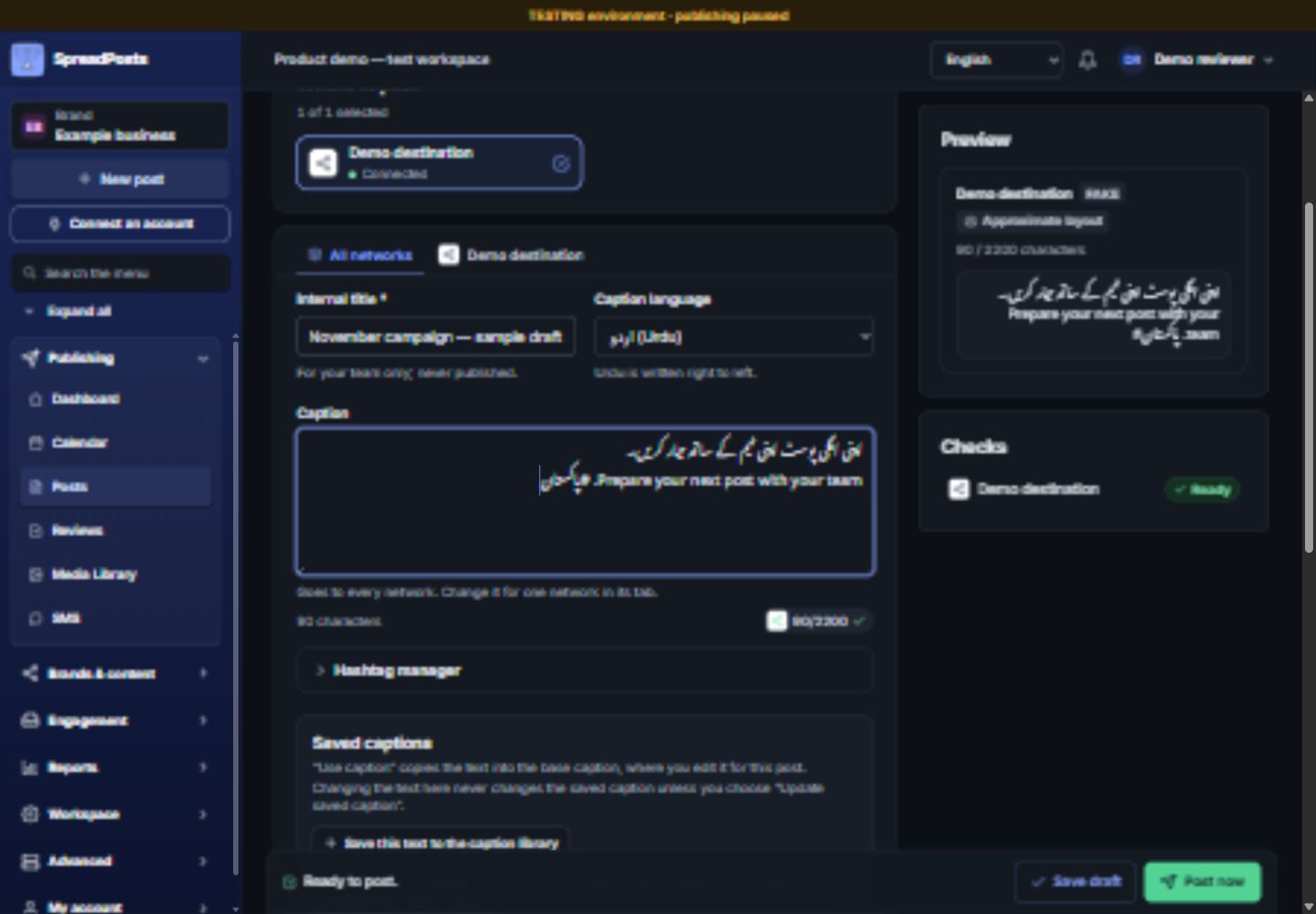
Prepare English, Urdu and Roman Urdu content around shared brand facts. Review wording, names and numbers before approval.
Prepare your next post with your team.
اپنی اگلی پوسٹ اپنی ٹیم کے ساتھ تیار کریں۔
Apni agli post apni team ke saath tayyar karein.
Example brand workflows
Illustrative scenarios using owner-provided brands, not testimonials or live publishing results.
Restaurant software · Demo scenario
Draft a software announcement, check the claimed capabilities and send the wording for review.

Event announcements · Demo scenario
Prepare the announcement, verify the event details and review the date and timezone before scheduling.
A 13-page guide to workflows, network formats, activation requirements and planned capabilities. Edition: October 2026.
A few useful answers
Confirm your required formats and account permissions during setup.
Read the getting-started guidePublic signup is available. Create an account and start a free trial with a few credits; recharge with a pack in PKR when you are ready.
The product covers eleven destinations. Each account needs the appropriate access, activation and format checks. TikTok scheduling uses manual handoff; eligible connected accounts also have a separate member-present direct-post review.
Yes. Share a frozen content version for feedback and keep client decisions connected to that version. Workspace permissions still control final approval and publishing.
Yes. The interface supports English, Urdu and Roman Urdu. Optional content-version tools help prepare the same message across languages, with human review of wording and facts.
No. Package limits, operator activation, provider permissions and account eligibility all apply. The workspace feature catalog shows On, Off or Blocked states; planned work is listed separately.
The outcome is shown for investigation. SpreadPosts does not blindly repeat an uncertain public send. Review the available evidence before deciding the next action.
No. Reviewers remain responsible for factual and language checks. Publication records show delivery evidence; they do not guarantee engagement or business results.
Your next content workflow
Start with one post, the people who review it and the destinations that matter to your team.
Customer stories
Testimonial placeholder — awaiting customer-provided feedback and permission. No customer quote or performance claim is presented.